

A laptop at the kitchen table, a second monitor at the office, quick phone checks between meetings – many people now spend more of their day looking at screens than looking across a room. The best lenses for computer work are not necessarily the most expensive pair or the pair with the strongest blue-light filter. They are the lenses that match your prescription, your screen distance, your work setup, and the symptoms you are actually experiencing.
If your eyes feel tired by midafternoon, your vision becomes less clear after a long video call, or you find yourself lifting your chin to see through the right part of your glasses, your eyewear may need an update. A thoughtful lens recommendation can make close work feel more comfortable while supporting clear, natural vision throughout the day.
What makes computer work hard on your eyes?
Screen use does not usually damage healthy eyes on its own, but it can expose small vision problems and create real discomfort. When concentrating on a screen, people tend to blink less often. That can leave the eyes dry, gritty, or watery. Bright screens, glare from overhead lights, and reflections on lenses can add to the strain.
The working distance matters, too. A desktop monitor may sit about an arm’s length away, while a laptop, tablet, or phone is held much closer. Your eyes must focus differently at each distance. For people over 40, the natural lens inside the eye gradually loses flexibility, making it harder to shift focus to near and intermediate tasks. That is often when a standard pair of distance glasses stops feeling adequate for a full workday.
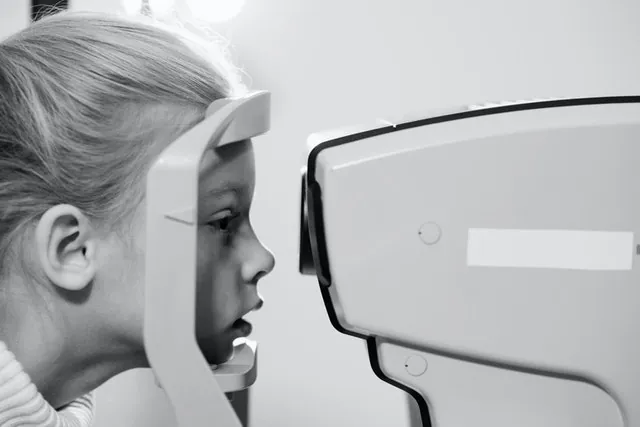
A current eye exam is a useful starting point. Headaches, fatigue, fluctuating vision, and dryness are not always just a glasses issue. An optometrist can check your prescription, eye coordination, focusing ability, and eye surface health before recommending lenses.
Best lenses for computer work: start with your task
There is no single best choice for every desk. The right design depends on whether you wear glasses full-time, how many hours you spend on screens, and whether you also need clear distance vision for driving, meetings, or moving around the workplace.
Single-vision lenses for a simple prescription
Single-vision lenses have one prescription throughout the lens. They can be an excellent option for someone who is nearsighted or farsighted and primarily needs correction at one distance. If you are under 40 and your regular prescription already gives you clear, comfortable monitor vision, a well-made pair of single-vision lenses with a quality anti-reflective coating may be all you need.
Some people benefit from a dedicated computer pair with the prescription adjusted specifically for their usual monitor distance. This can be especially helpful if distance glasses make a screen feel slightly too close or if reading glasses are too strong for the monitor. The trade-off is that task-specific computer glasses are not intended for driving or viewing far across a room.
Occupational lenses for monitors and close work
Occupational, or office, lenses are designed for intermediate and near tasks. They provide a wider, more comfortable viewing area for a computer screen than many progressive lenses, while still allowing you to look down at paperwork, a keyboard, or a phone.
These lenses can be a strong choice for people with presbyopia who work at a desk for several hours a day. Depending on the design, you may also see clearly across a small office or room. They are less suitable for walking outdoors or driving because their distance vision is limited. Many patients find that an office lens and an everyday progressive pair work well together.
Progressive lenses for all-day flexibility
Progressive lenses combine distance, intermediate, and near vision without visible lines. They are convenient for people who move between screens, coworkers, meetings, errands, and driving throughout the day. A modern progressive design can provide very good computer vision, particularly when the lens is carefully selected and fitted.
Still, standard progressives are designed to cover many distances, so their intermediate area may be narrower than a dedicated office lens. If you use two large monitors or frequently look across a wide screen setup, you may need to turn your head more than you would with occupational lenses. Proper measurements, frame choice, and a personalized fitting make a meaningful difference here.
Reading lenses for occasional close tasks
Over-the-counter readers can be convenient for brief reading, but they are a limited solution for regular computer work. They use the same power in both eyes and do not account for astigmatism, unequal prescriptions, or the specific distance of your monitor. Readers may be reasonable for occasional use if recommended by your eye care provider, but persistent strain is a good reason to seek a full assessment.
Lens features that make screens more comfortable
The lens design gets most of the attention, but coatings and materials also matter. For screen-heavy work, anti-reflective coating is one of the most valuable additions. It reduces reflections from monitors, windows, and overhead lights, helping vision look clearer and allowing more light through the lens. It also improves the appearance of your glasses during video calls.
Scratch-resistant and easy-clean coatings are practical for everyday wear, especially for people who regularly move between work, commuting, and family life. Smudges and fingerprints create their own kind of visual distraction, so a coating that is easier to keep clean can be surprisingly helpful.
Blue-light filtering lenses are a more personal choice. Digital devices emit blue light, but current evidence does not show that blue-light glasses prevent digital eye strain for most people. They may change the look of the lens slightly or create a warmer color cast, which some wearers notice when working with photos, design files, or color-sensitive tasks. If sleep is disrupted by late-night screen use, reducing screen brightness and limiting screen exposure before bed may be more useful than relying on lenses alone.
For people sensitive to light, photochromic lenses can be helpful outdoors, although most do not darken significantly behind a car windshield. A separate pair of prescription sunglasses may still be the best solution for driving and outdoor comfort.
Your frame fit affects your computer vision
A lens can only perform as designed when the frame sits correctly. Frames that slide down your nose can move the useful part of a progressive or office lens away from where you naturally look. Frames that are too narrow may limit the available viewing area, while frames with a good vertical depth can give progressive and occupational designs more room to work.
Comfort matters just as much. If glasses pinch at the temples, press heavily on the nose, or slip whenever you look down at a keyboard, you are less likely to wear them consistently. Personalized frame styling should consider your face shape and personal style, but also your prescription, lens design, and daily routine.
Small habits that support your lenses
Even the right eyewear cannot fully compensate for an uncomfortable workstation. Position your monitor roughly an arm’s length away, with the top of the screen at or slightly below eye level. Adjust brightness so the display is not dramatically brighter or darker than the room around you, and reduce glare from direct windows or overhead lighting when possible.
Build in brief distance breaks during long periods of focus. Every 20 minutes, look at something farther away for about 20 seconds. If dryness is part of the problem, make a conscious effort to blink fully and speak with your optometrist about appropriate dry-eye care rather than simply reaching for random eye drops.
At Sight Care Optometry & Optical, lens recommendations begin with how you actually use your eyes: the screen you work on, the distance you hold your phone, the hours you spend at your desk, and the places you need to see clearly afterward. The goal is not to sell a feature you do not need. It is to help you leave with eyewear that feels comfortable, looks like you, and supports your day.
If computer work has become a daily source of headaches, squinting, or tired eyes, schedule an eye exam and bring your current glasses along. A few careful measurements and an honest conversation about your routine can point you toward a lens design that makes the workday feel easier.
Note: This posting is for informational purposes only and does not attempt to diagnose or recommend treatment for any condition. Please consult an optometrist if you are experiencing eyesight issues.